Winter Frame TV art with real photographs
A television in art mode stays on the wall all day, so the image you choose becomes part of the room. In winter the light is lower, rooms are used more in the evening, and the screen is often a main light source in the room. Real photographs of bare trees, mist and still water suit that setting well, because they ask for very little attention and still give the wall something to look at.
This guide covers what works on a Samsung Frame TV in winter, how to choose between images, and how to set up a small rotation. If you have not yet loaded your own images, the upload guide walks through each step.
Why the matte display matters
The Frame uses a matte, low-reflection screen. A glossy television throws back windows and lamps, and a photograph on it looks like content on a screen. A matte surface scatters that light, so a quiet photograph reads closer to a print behind glass. This is the reason soft, low-contrast winter scenes work: the screen does not fight them.
Matte does not remove every reflection. If a window sits directly opposite the television, you will still see it at some times of day. Test your image in the room at midday and in the evening before you decide it works.
What works on The Frame in winter
Photographs that hold up on a wall-mounted screen tend to share a few traits:
- One clear subject or one clear mood. A single beech tree in mist or a line of poplars at a lake edge reads from across a room.
- Soft tonal range. Mist, overcast sky and snow-free woodland have gentle gradients. These look natural on a matte panel.
- Room to breathe. Large calm areas of sky, water or fog keep the wall from feeling busy.
- Muted colour. Grey, bark brown, pale green and cool blue sit well beside many wall colours and wooden furniture.
Some images are harder. Very bright snow scenes can lose detail when the brightness is high, and extremely dark night scenes can look flat in a lit room. Fine detail, such as a thicket of thin branches, can shimmer at a distance. None of these are reasons to avoid an image, only things to check on your own screen.
Picking images for your room
Start with the room, not the photograph. Three questions help:
- How much light does the room get in the evening? A dim room can carry a darker photograph. A bright room usually suits lighter, misty images.
- What is nearby? Warm wood and linen pair with soft greys and browns. A white wall with cool light suits the blue tones of dusk and marsh scenes.
- How far is the sofa? At three metres or more, choose one clear subject. Close viewing allows more detail.
The winter set contains six photographs, all taken in Danish woodland:
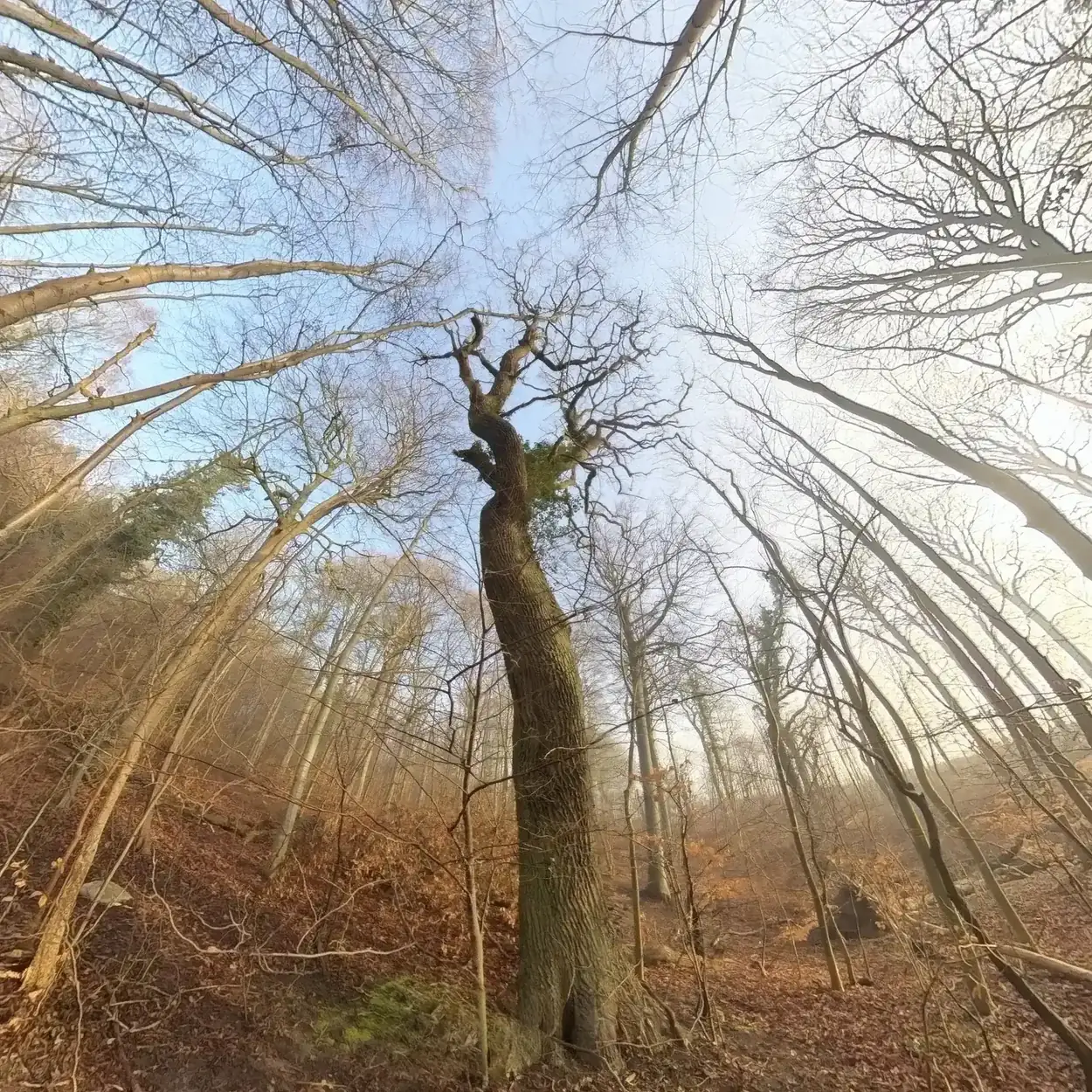
- Ancient beech in winter mist: one old beech tree in soft winter mist.
- Winter canopy: bare winter treetops in pale morning light.
- Winter marsh reflection: trees and sky reflected in a still winter marsh.
- Beech hill panorama: old beech trees on a hill above the sea, in a wide-angle view.
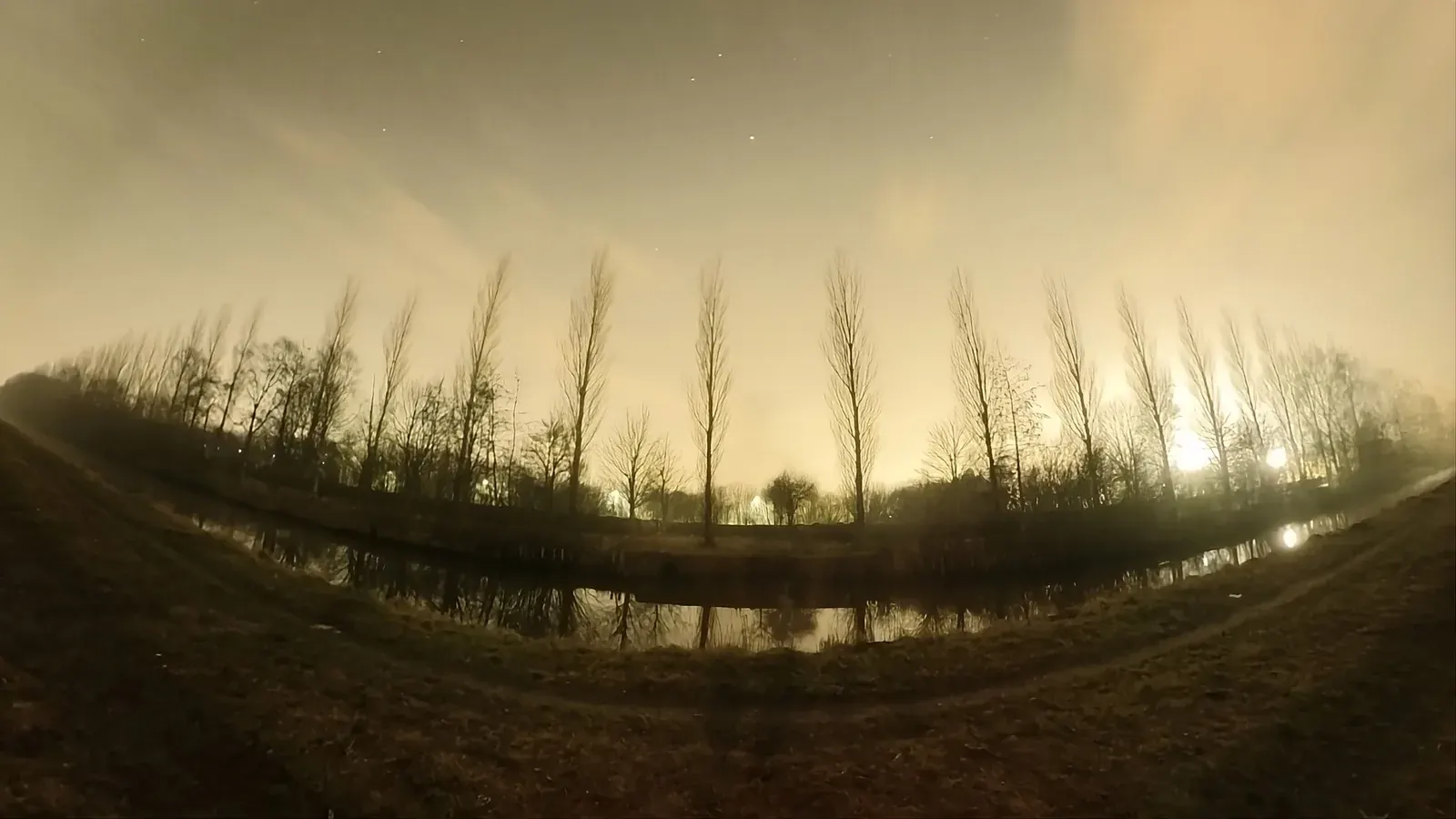
- Poplar lake at night: a row of poplars reflected in still water under a night sky.
- Branch tangle circle: bare branches crossing a circle of open sky.
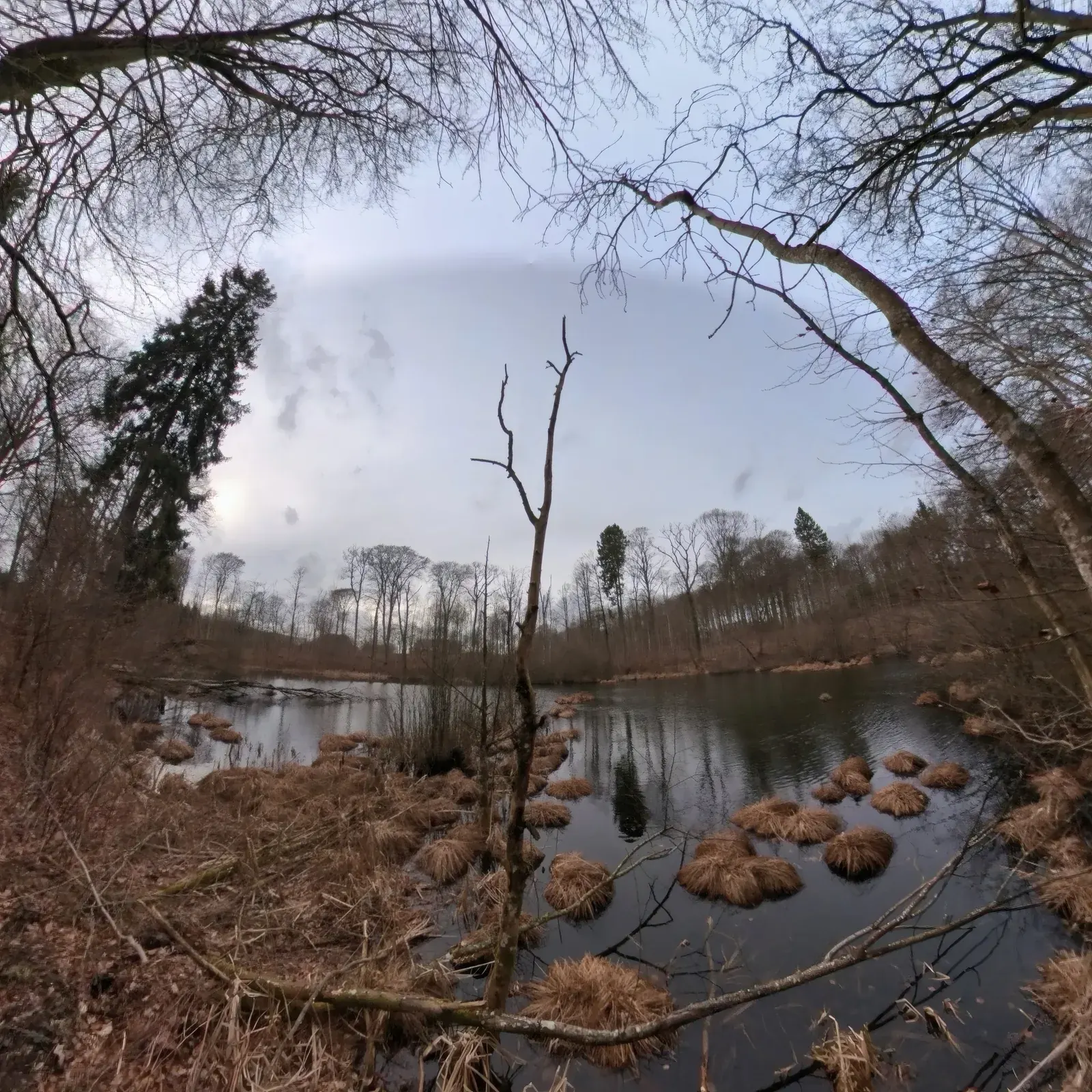
For a bright room, begin with the beech in mist and the winter canopy. For an evening room, the poplar lake and the marsh reflection give a darker, quieter wall.
The winter set and the 30-image bundle
Two products cover winter on the Frame. Both are real photographs, not AI images, supplied as JPG files at 3840 x 2160 px, which matches the resolution of the screen.
- Winter woodland Frame TV art, set of 6 costs $6. It contains the six photographs listed above and a short SmartThings guide.
- Frame TV art bundle, 30 Nordic forest photographs costs $12. It includes the winter images and adds spring, summer and autumn photographs, so you can change the wall with the season without buying again.
If you only want winter, the set is enough. If you expect to rotate through the year, the bundle costs less than buying the three seasonal sets separately. There is also a green forest set and an autumn set at $6 each.
Setting up a winter rotation
A slideshow of six images can look busy if it changes every few minutes. Two approaches keep it calm:
- Fixed image. Pick one photograph and leave it for a week or a month.
- Slow slideshow. Add three to six images and set a long interval, such as several hours, if your model offers it.
Change the image when the light changes. A misty beech for grey December mornings, the marsh reflection for January, the poplar lake for long evenings.
If you also want a print
Several of the same photographs are available as prints. The neutral winter forest prints, set of 4 are square and hang well in a two by two grid, which makes a pairing with a Frame TV in the same room. Printing is covered in the how to print guide.